Do You Know Who Really Owns This Wallet?
Summary
- GTRSafePro, GTR's blockchain intelligence platform, is live today: wallet screening, risk scoring and investigations in one place.
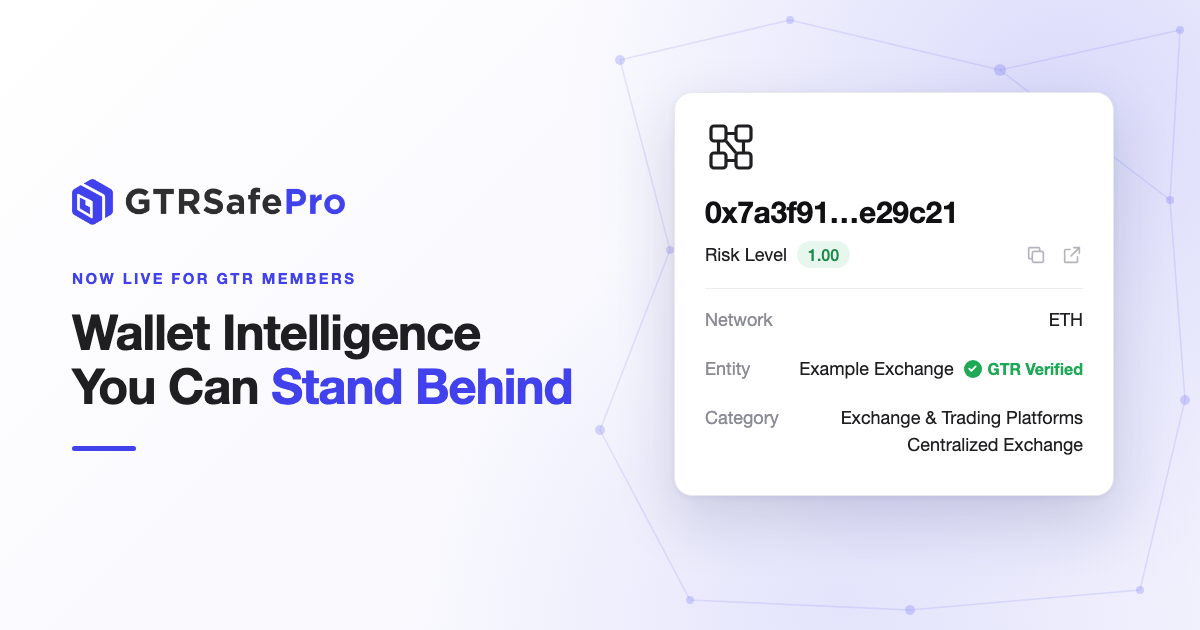
- Wallets with confirmed ownership carry a Verified by GTRSafePro mark, so your team can tell confirmed labels from analytical ones at a glance.
- Every wallet also gets a 0–10 risk score, whether or not its ownership is verified.
- 45+ blockchains, 2.5B+ wallet labels. Included at no additional cost for GTR members on the Professional plan.
A customer asks to withdraw USDT to an external address. Your screening tool labels the address as an exchange, the risk looks acceptable, and the payment goes through.
Three months later, an examiner asks a simple question: is this address really owned by that exchange, and how do you know?
That question is why we built GTRSafePro. A significant share of the attributions in GTRSafePro carry a Verified by GTRSafePro mark, which means their ownership has been confirmed, not just inferred. Where a label is verified, you can say so with confidence. Where it isn't, you still have a clear risk score and the counterparty picture to support your decision.
What is GTRSafePro?
GTRSafePro is GTR's blockchain intelligence platform. It brings address screening, wallet monitoring, investigation tools and case management into one place.
It works alongside GTR's Travel Rule solutions. The Travel Rule covers the information exchange between VASPs. GTRSafePro adds an intelligence layer on top, so you can assess the risk of any wallet and additionally whether it belongs to a VASP or is unhosted.
Who it's for
- Exchanges: screen customer wallets at onboarding and before withdrawals.
- Custodians: check counterparty wallets before deposits and withdrawals.
- Payment providers and stablecoin platforms: screen the wallets you receive from and pay out to.
Why GTRSafePro
Verified ownership, clearly marked. When a wallet's ownership has been confirmed, GTRSafePro marks it Verified by GTRSafePro, in the web app and in API results. Your team no longer has to treat every label with the same level of trust: confirmed attributions stand out, and you can act on them with confidence.
A risk score for every wallet. Every address gets a risk score from 0 to 10, along with its risk category and counterparties. Verified or not, you always have a consistent basis for your decision.
Rules you control. Start with the standard risk settings, or build your own rules by risk category, network, direction and amount. Rules only go live when you publish them.
What you can do
- Address Lookup: screen any wallet to see who it's attributed to, whether its ownership is verified, its risk category, its risk score and its counterparties.
- Transaction Lookup: review a transaction by its hash and see the risk on the parties involved.
- Customer Lookup: group wallets under one customer and see the risk across all of them.
- Investigation graph: trace where funds came from and where they went.
- Monitoring Groups: watch a set of wallets and get alerts when they move funds.
- Risk Policies: decide what counts as risky and what happens next. Build rules by risk category, network, direction and amount, choose standard or custom risk scoring, and keep every rule as a draft until you publish it.
- Cases: manage alerts and investigations from start to finish, with a full audit trail.
In your workflow: the API
The same screening result, including the Verified by GTRSafePro mark, is available through the API, so it can sit inside your deposit and withdrawal flows. One call screens an address and returns the result in under two seconds:
POST https://openapi.gtrsafepro.com/onchain-analysis/v1/address/sync
{
  "hash": "0x[example address]",
  "network": "ETH"
}
An abridged response looks like this:
{
  "status": "OK",
  "code": "000000000",
  "data": {
    "walletOverview": {
      "riskScore": 7.2,
      "riskLevel": "High",
      "entity": "Example Exchange",
      "categories": ["Exchange"],
      "verified": true
    },
    "counterpartySummary": {
      "ExposureByEntity": [
        {
          "entityName": "Example Counterparty",
          "incomingDirectExposure": 125000.00,
          "outgoingDirectExposure": 48000.00
        }
      ]
    }
  }
}
For larger volumes, the Address Labeling API returns the entity and category for up to 100 addresses per request. API keys are created in the web console and limited to the IP addresses you register. Full details are in the API documentation.
Get started
- Make sure your GTR account is on the Professional plan.
- Go to gtrsafepro.com and log in with your GTR account.
- Start screening in the web app, or create API keys to integrate.
So the next time a regulator, an auditor or your own MLRO asks "how do you know?", you can point to a verified owner wherever there is one, and to a clear, consistent risk assessment wherever there isn't.
Read the documentation or contact the GTR team at customerservice@globaltravelrule.com.